

This page allows you to browse the collection of 'Stamp' artwork that ships with Tux Paint, the award-winning open source drawing program for children, right in your web browser. It can be used by project volunteers helping translate the stamps' descriptions, or parents, guardians, and teachers, to view what comes with the collection, prior to installing it.
Note: If you want to download the stamps collection to install and use in Tux Paint, do that from the Download page!
Categories: animals | clothes | food | hobbies | household | medical | military | naturalforces | people | plants | seasonal | space | sports | symbols | >town< | vehicles |
Show up to: [10] [25] [50] [100] per page.
Page: [1] [2] [3] [4] [5] [6] [7] [8] [9]
| Preview | Path & Description | Sounds | Options | |
|---|---|---|---|---|
|
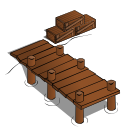
town/ cartoon/ docks.svg Down at the docks. |
|||
|
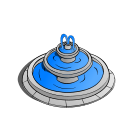
town/ cartoon/ fountain.svg The fountain of youth. |
|||
|
town/ cartoon/ gate.svg A gate. |
|||
|
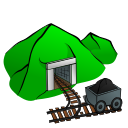
town/ cartoon/ mine.svg A mine. |
|||
|
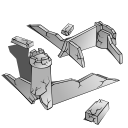
town/ cartoon/ ruins.svg A castle in ruins. |
|||
|
town/ cartoon/ shipwreck.svg A shipwreck. |
|||
|
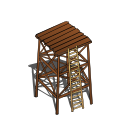
town/ cartoon/ watch_tower.svg A watch tower. |
|||
|
town/ cartoon/ wishing_well.svg A wishing well. |
|||
|
town/ flags/ blue-and-yellowflag.png A blue and yellow flag. |
|||
|
town/ flags/ checkeredflag.png A checkered flag. |
Sound effect (.ogg) |




To-Do: Display translated strings, too. Display links to descriptive sound files, and translated descriptive sound files.
- colorable
Work muchs like brushes - you pick the stamp to get the shape, and then pick the color you want it to be. Nothing about the original image is used except the transparency (from "alpha" channel). The color of the stamp comes out solid. - noflip
The stamp cannot be flipped upside-down. - nomirror
The stamp cannot be mirrored left-to-right. - scale
If the full-sized image for a stamp is initially sized too large or small, a scale factor may be specified. (Scale option may be in a percentage (e.g., "scale 50%"), a fraction (e.g., "scale 2/1" or "scale 1:2"), or a ratio (e.g., "scale 2"). An equal ("=") can be included.) - tintable
This alters the hue of the stamp. (Similar to "colorable," but keeping the detail of the shape.)- tinter=normal (default)
This is the normal tinting mode. (Hue range is +/- 18 degrees, 27 replace.) - tinter=anyhue
This remaps all hues in the stamp. (Hue range is +/- 180 degrees.) - tinter=narrow
This is like 'anyhue', but a narrower hue angle. (Hue range is +/- 6 degrees, 9 replace.) - tinter=vector
This maps 'black through white' to 'black through destination'.
- tinter=normal (default)
Did you know? Tux Paint is named after Tux the penguin, the mascot of the Linux operating system. "Tux" is short for tuxedo.